 zadao.ai
Create a bounty on V2 beta
A client posts a bounty for creators to participate onchain
In short
Create a bounty on v2: pick or create a bounty hub, choose the bounty type, add details and post it onchain so the contract locks the funds. Select Winner later releases them.
Start the process
1 Create or select the bounty hub where you want the bounty to be categorized
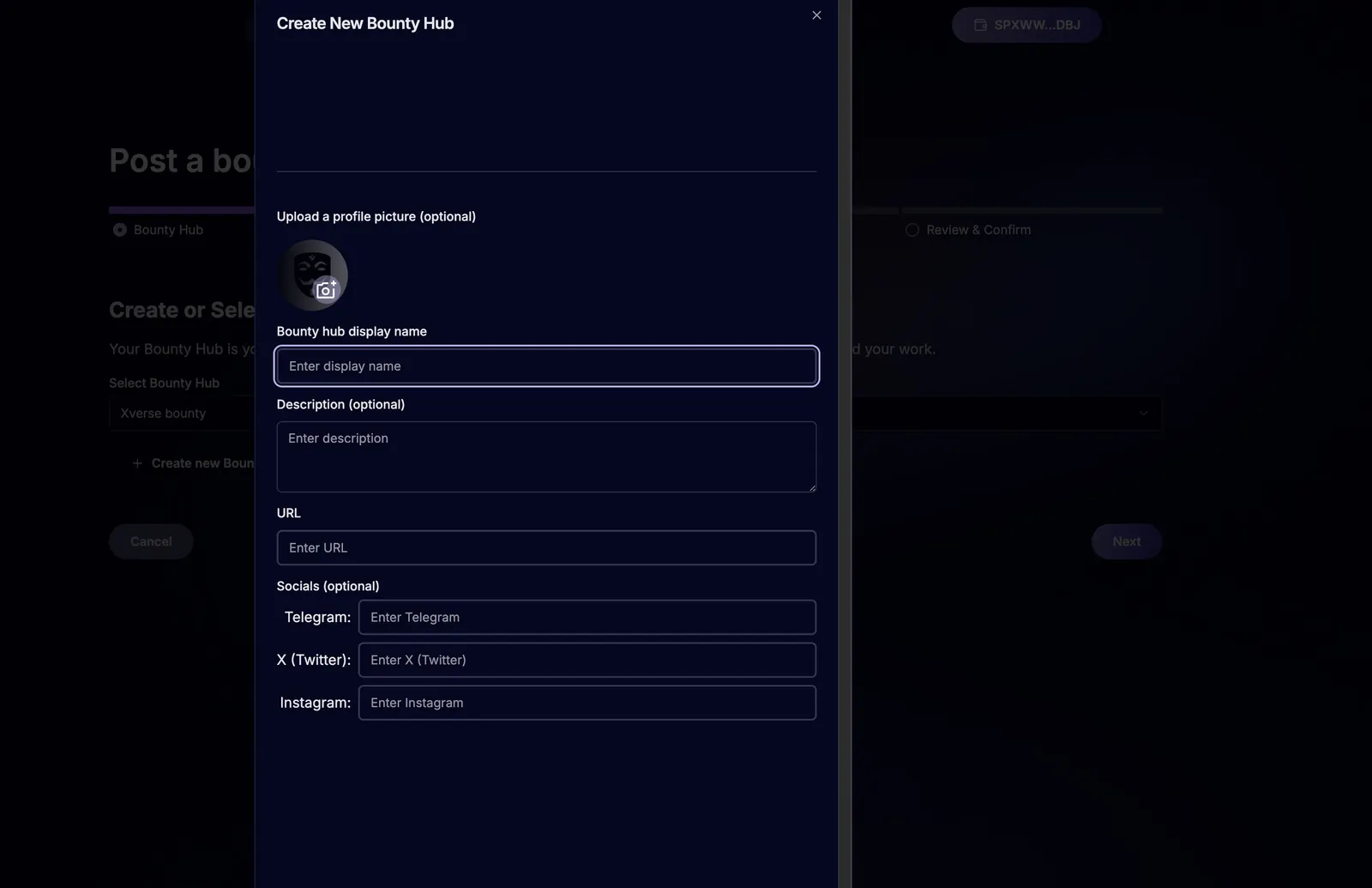
2 If you don't have a hub set up, create a new hub
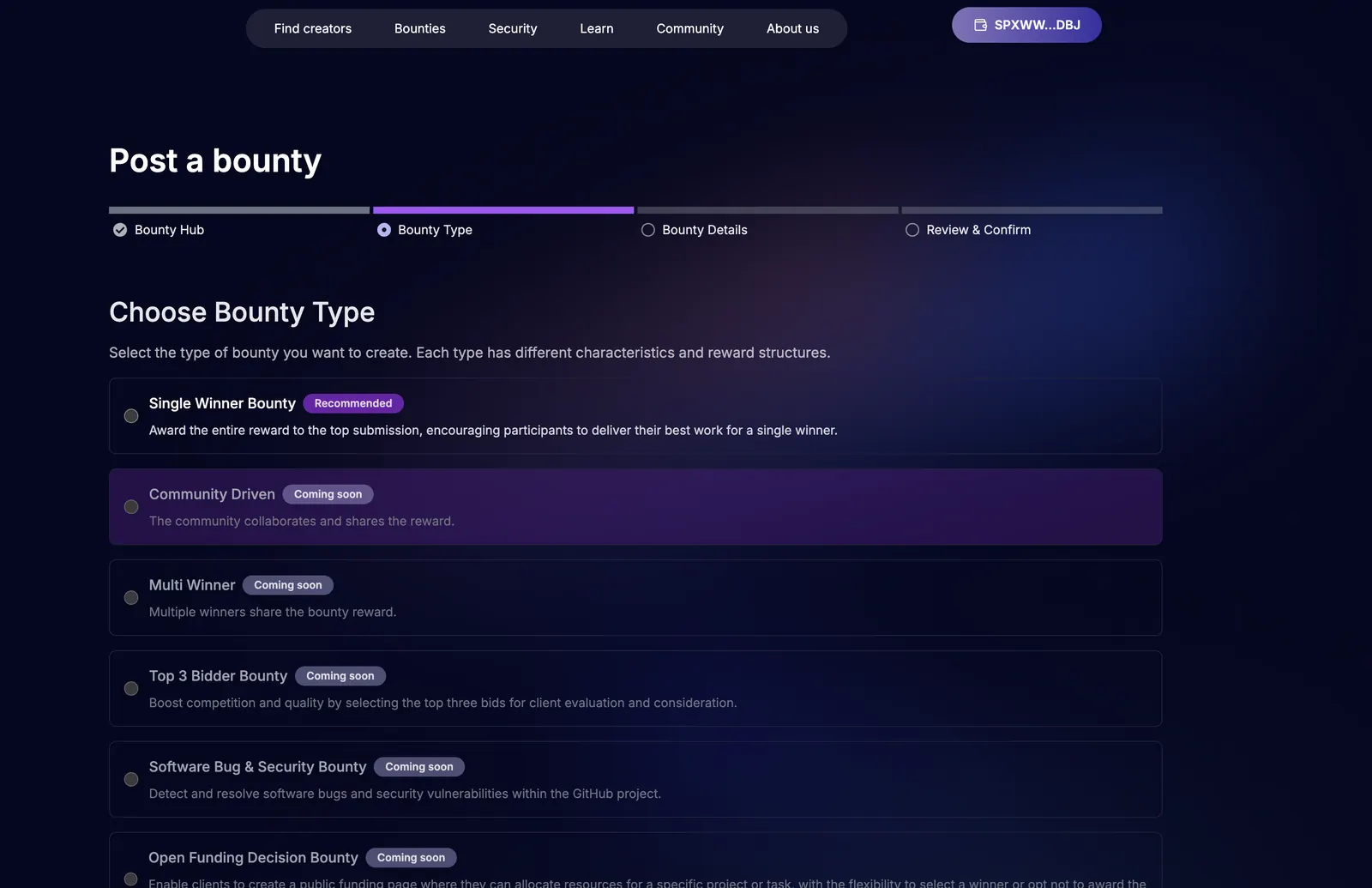
3 To post a bounty, select the type of bounty
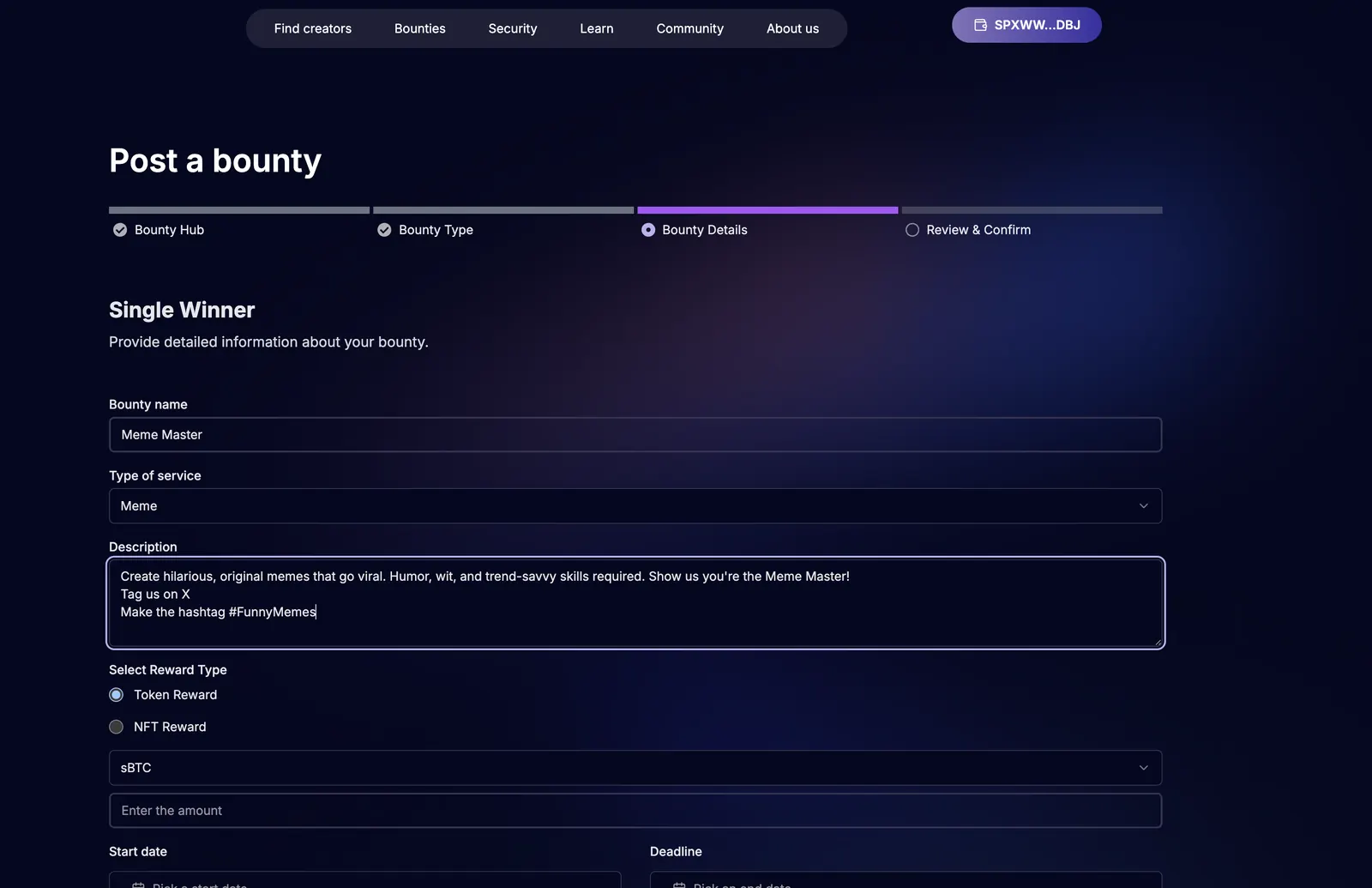
4 Post a bounty with all the relevant details (ideas)
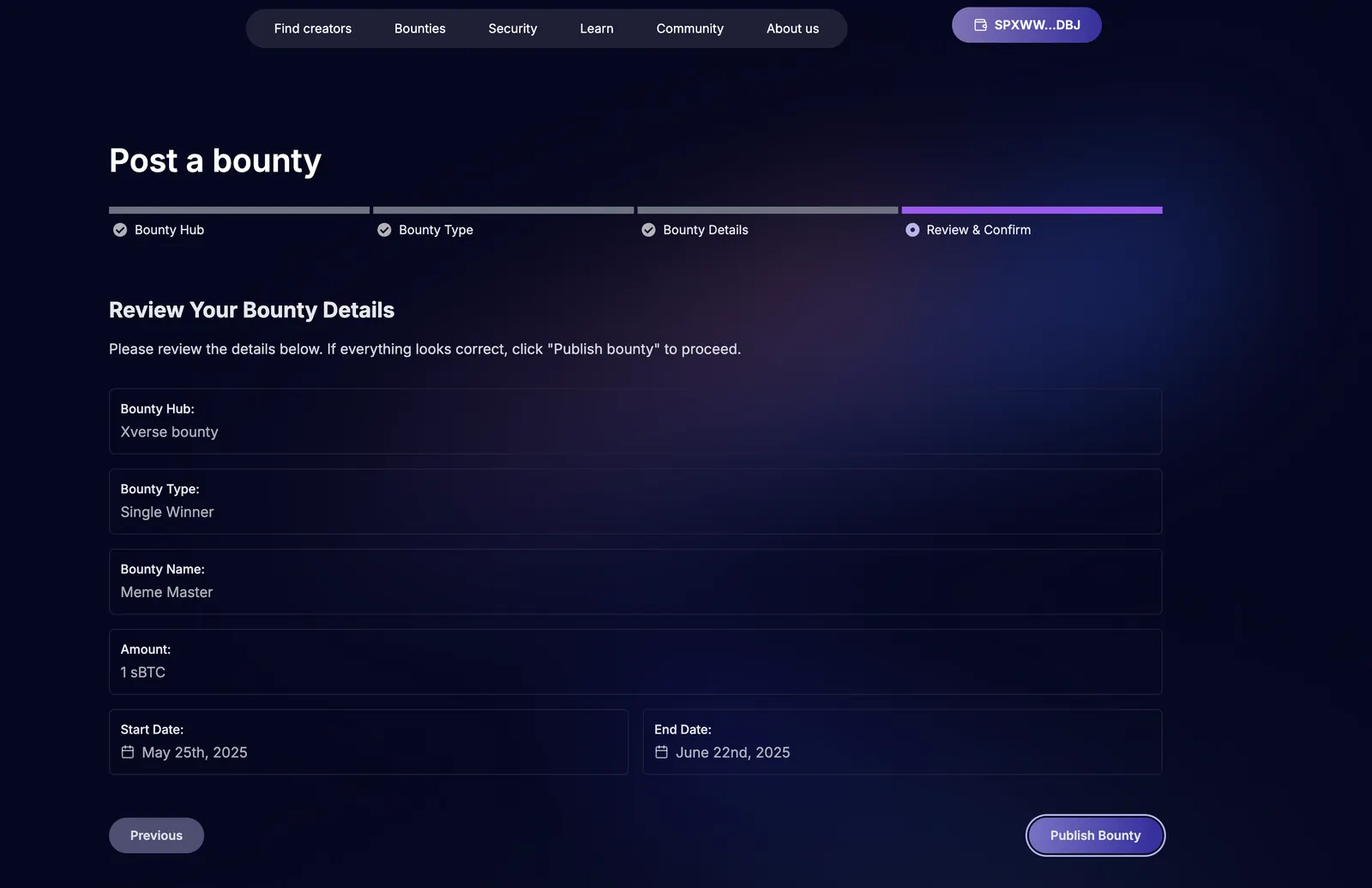
5 Review and confirm details before you post bounty
6 Post bounty onchain to verify trustless & permissionless
7 Once bounty posted, all clients and creators can view and participate
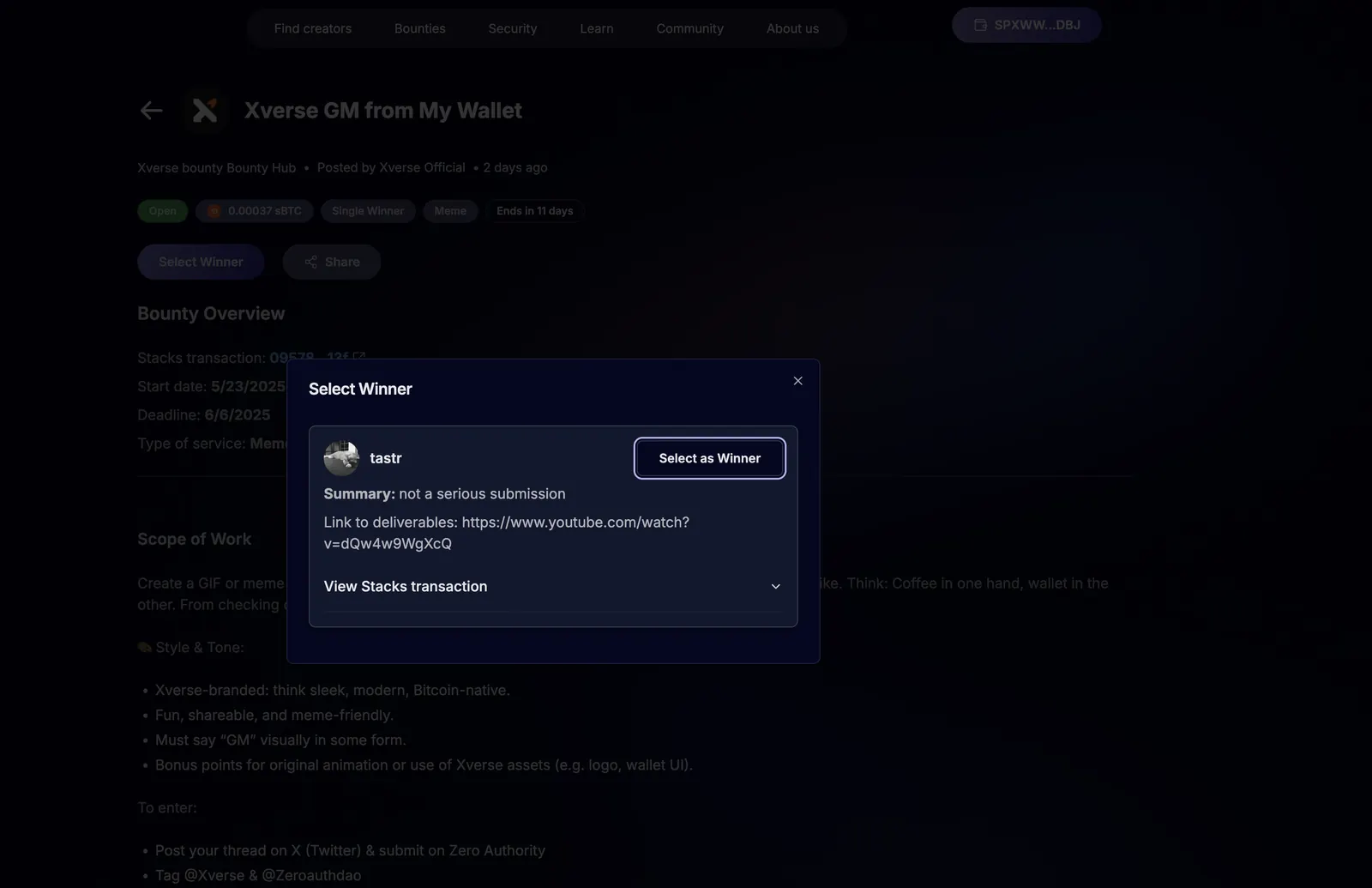
8 To select a winner, go to the bounty and "Select Winner" button
9 Select the user who won the reward and the smart contract will release funds
Walk through with screenshots
1 Create or select the bounty hub where you want the bounty to be categorized
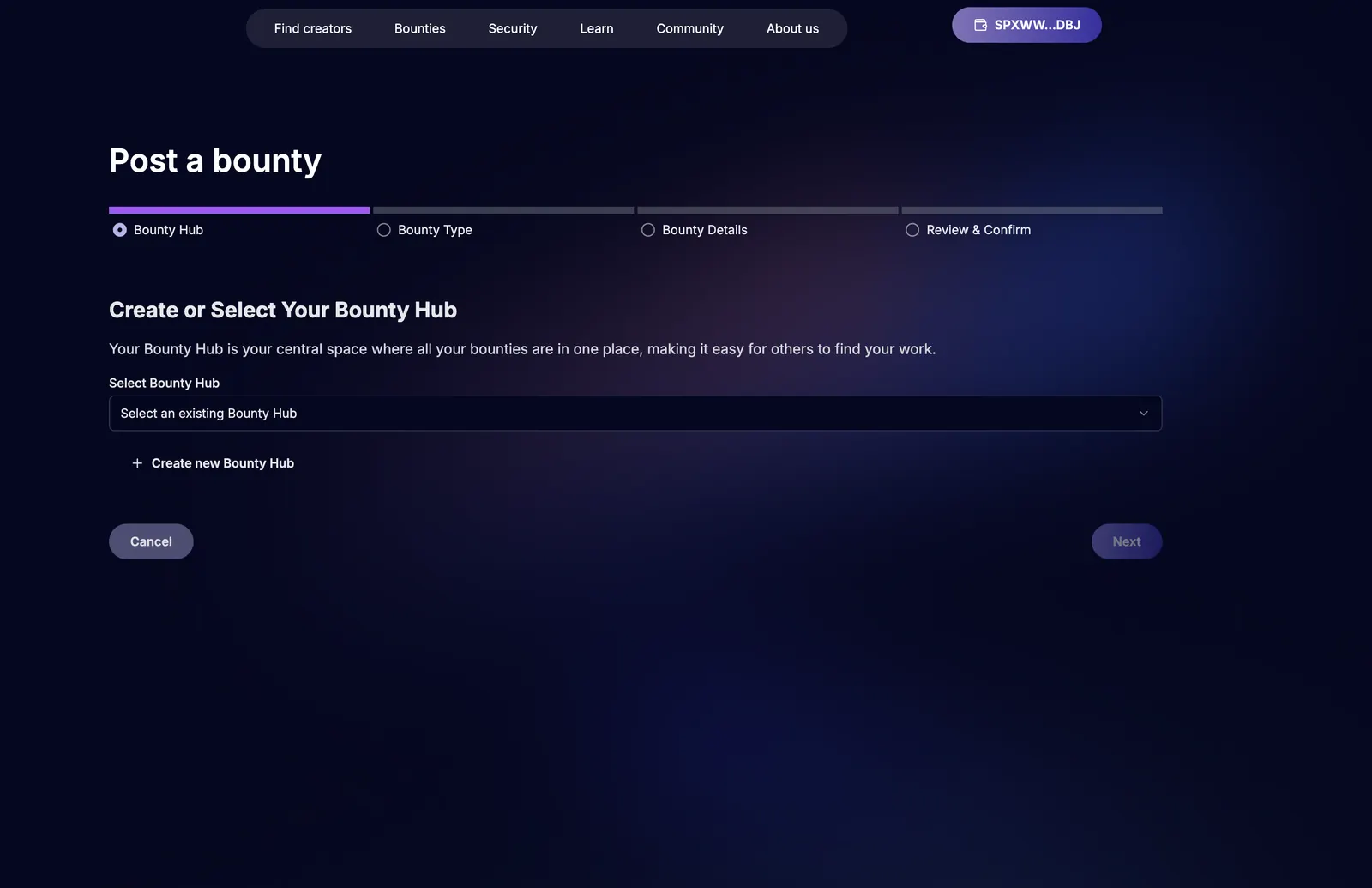
2 If you don't have a hub set up, create a new hub
3 To post a bounty, select the type of bounty
4 Post a bounty with all the relevant details (ideas)
5 Review and confirm details before you post bounty
6 Post bounty onchain to verify trustless & permissionless and the smart contract will lock up funds
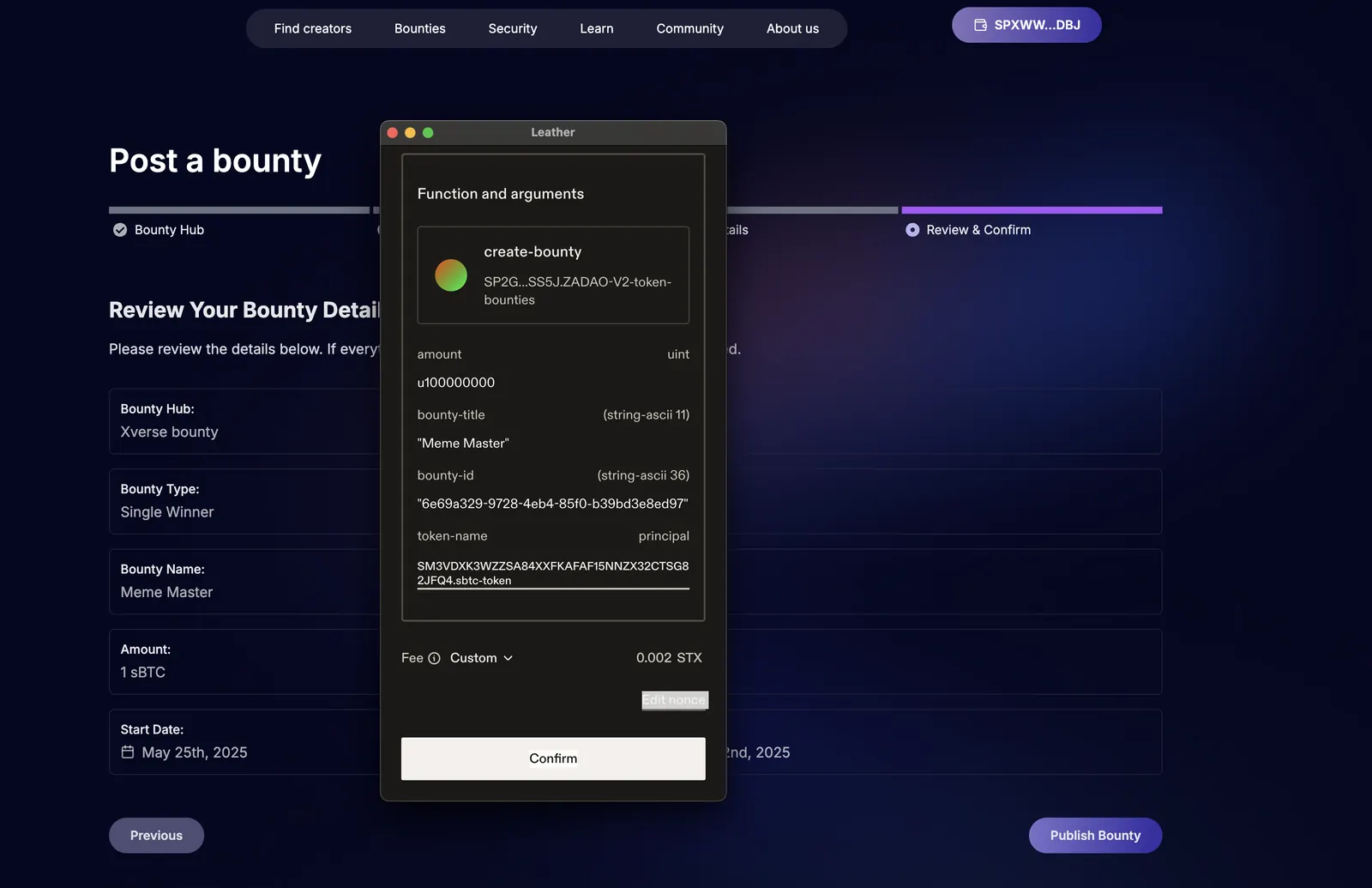
7 Once bounty posted, all clients and creators can view and participate
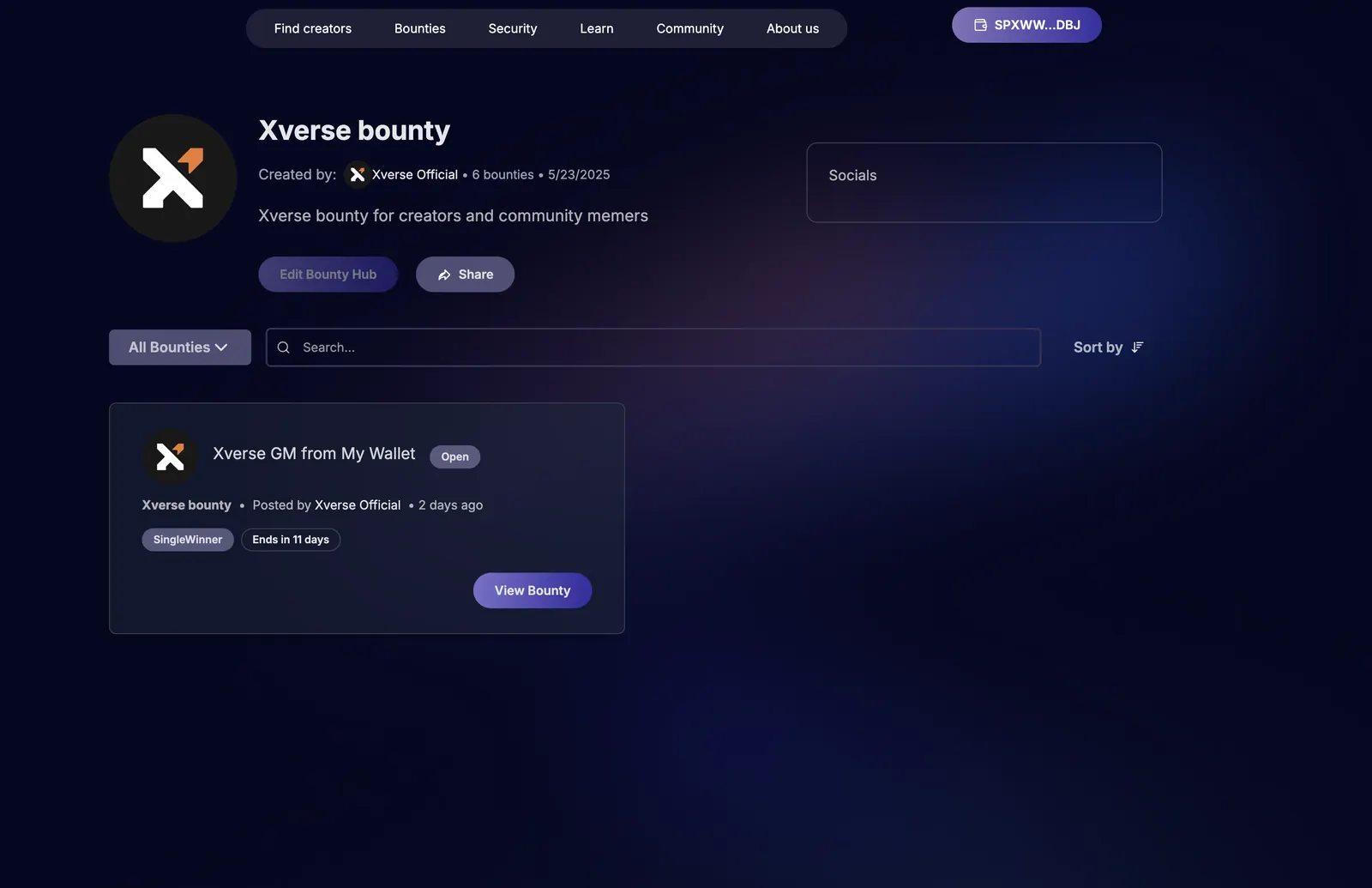
8 To select a winner, go to the bounty and "Select Winner" button
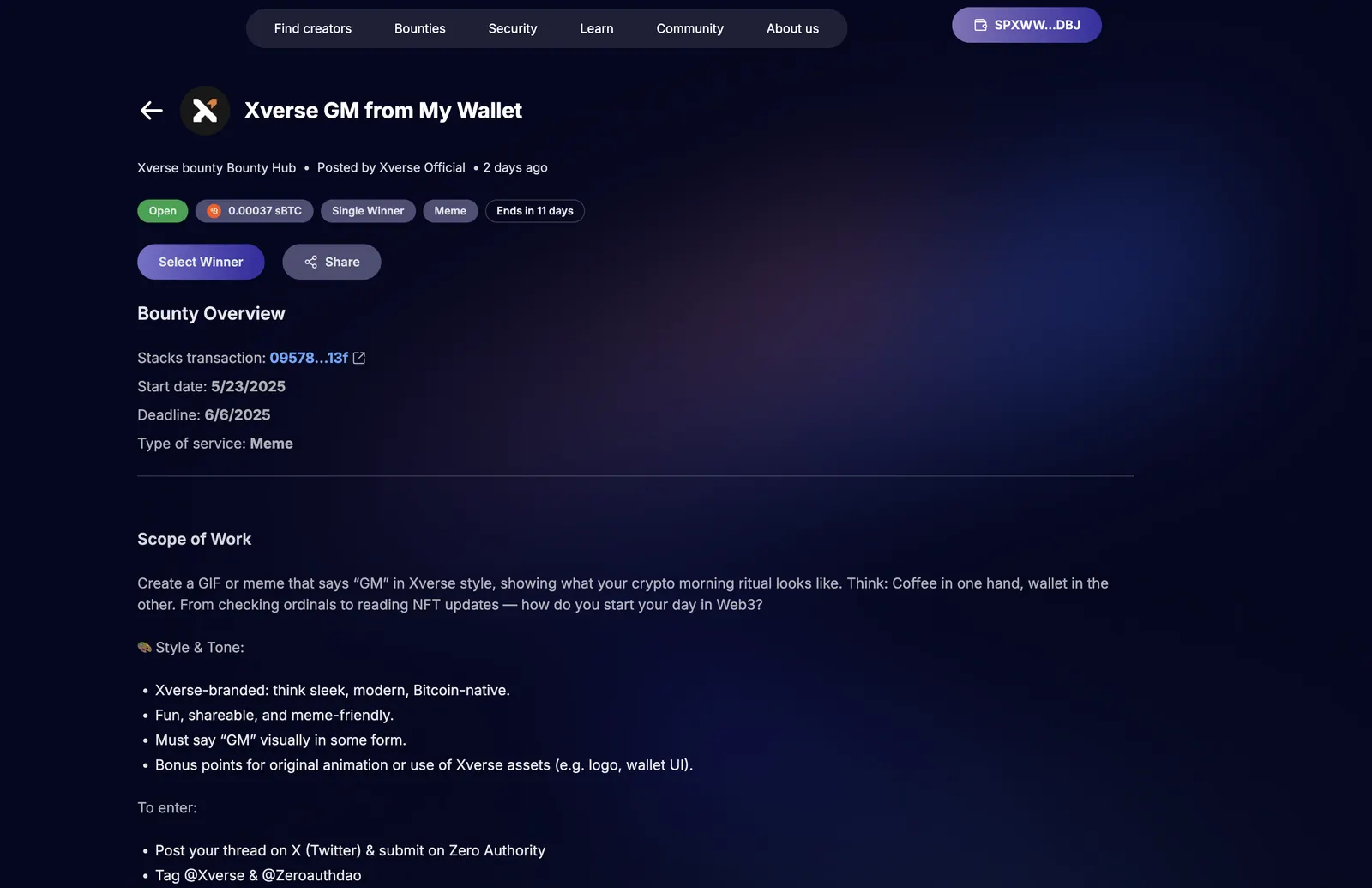
9 Select the user who won the reward and the smart contract will release funds