 zadao.ai
Bounty + Mint A Badge
Add a landing page for your bounty
In short
Add a landing page to a new or existing bounty and upload a custom badge that the creator and participants can mint. Without a custom badge, default images are used.
Procedure: Bounty + Badge
1. Go to the Bounty Landing Page
- Navigate to the landing page for the individual bounty you are managing or participating in.
2. Upload a Badge (Optional)
- On the landing page, you can upload a custom badge for participants to mint.
- If you do not upload a custom badge, the platform will automatically use the default images for both desktop and mobile landing pages.
3. Minting a Badge
You can mint a badge in two ways:
- When creating a bounty → As the bounty creator, you may mint a badge during bounty setup.
- When participating in a bounty → As a participant, you may mint a badge linked to your contribution.
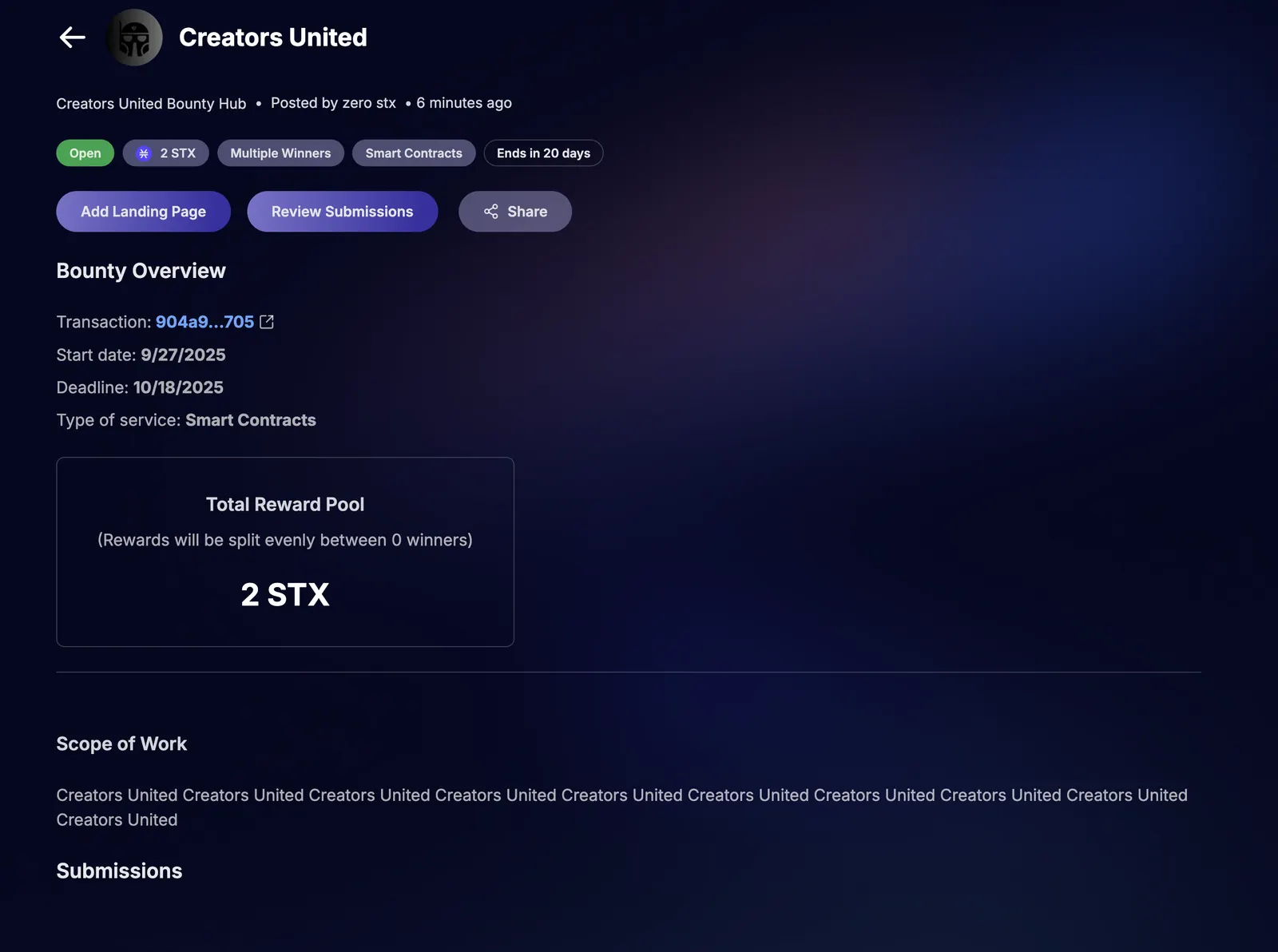
4. Adding a Landing Page to an Existing Bounty
- Go to the bounty you already created.
- Select the “Add Landing Page” button.
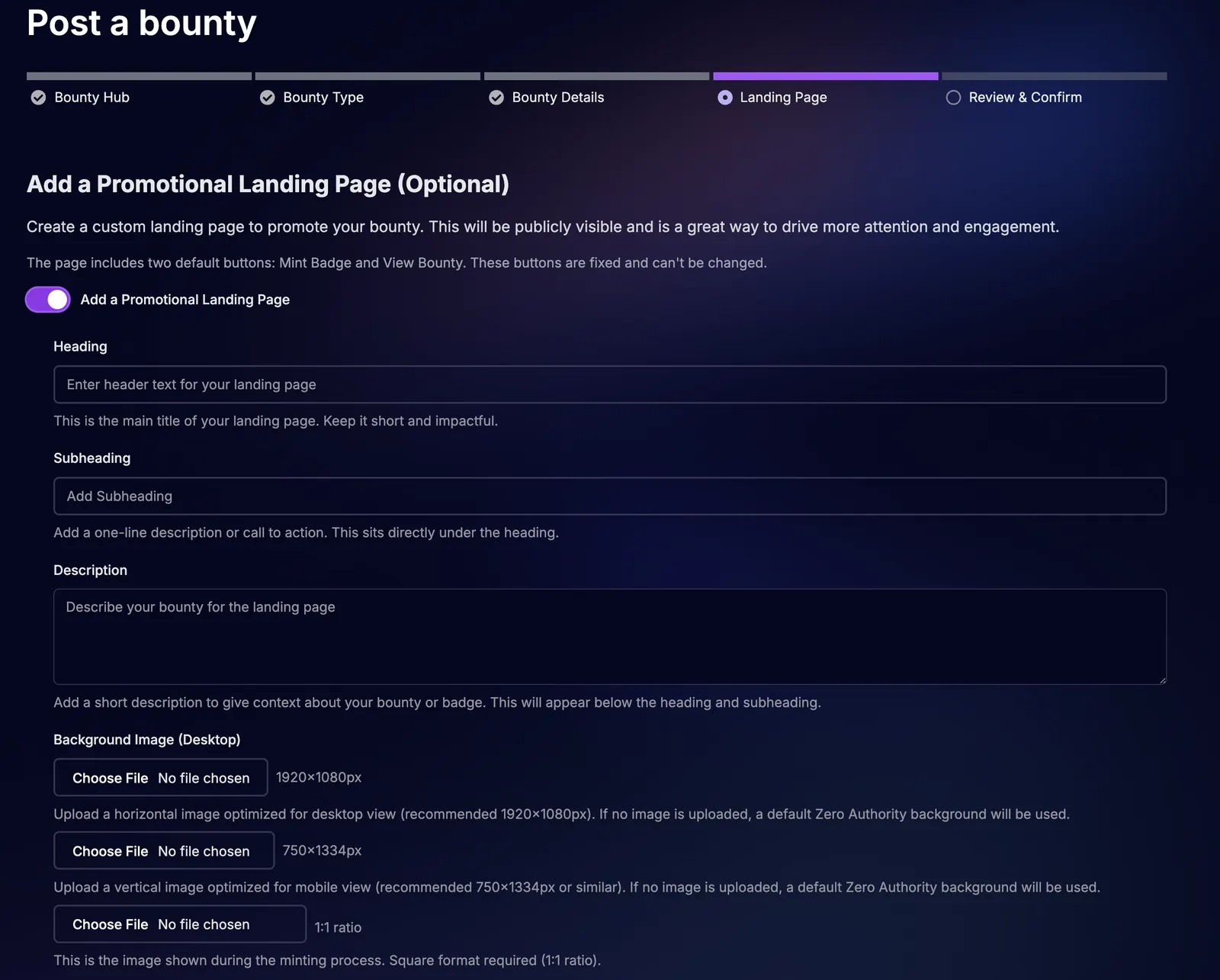
- Enter the following details:
- Heading (main title for the page)
- Subheading (supporting line)
- Description (details about the bounty and context)
5. Confirm & Publish
- Review the bounty details and associated badge.
- Save and publish to make the badge available for minting by all relevant participants.
Adding a Landing Page to a New Bounty
Adding a Landing Page to an Existing Bounty